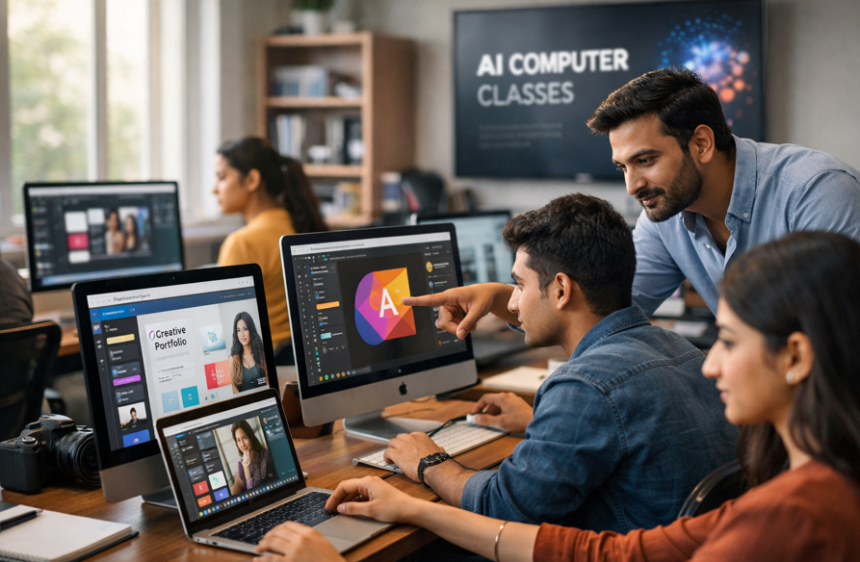

Chromatic Conjurers: Transforming Creatives into Master Graphic Designers at AI Computer Classes
Master graphic designing from scratch at AI Computer Classes. Learn Photoshop, Illustrator, Canva, UI/UX & AI tools. Hands-on projects, certification & career support included.
Chromatic Conjurers: Transforming Creatives into Master Graphic Designers at AI Computer ClassesIntroduction: Why Graphic Designing Is the Skill of the Modern Digital Era
Graphic design is no longer just about making things look “pretty.” In today’s fast-paced digital world, it is a powerful communication tool that helps brands tell their story, attract customers, and create impact online and offline.
From social media graphics and website layouts to marketing materials and brand identities, graphic designers play a crucial role in shaping the visual experience of businesses.
At AI Computer Classes, students are trained from scratch to become professional graphic designers with hands-on learning, industry tools, and AI-powered design integration. Whether you are a student, freelancer, or aspiring professional, mastering graphic design opens doors to creative careers in marketing, advertising, web development, and media.
Graphic design is the art and practice of combining text, images, and visual elements to communicate messages effectively.
Key components include:
- Typography: Selecting the right fonts to convey the message
- Color Theory: Using colors strategically to influence perception
- Layout and Composition: Arranging elements for clarity and aesthetic appeal
- Visual Hierarchy: Guiding viewers’ attention through design
- Software Skills: Learning tools like Adobe Photoshop, Illustrator, and Canva
- Branding: Creating logos, business cards, and digital identities
At AI Computer Classes, students start with fundamentals and progress to advanced design projects that prepare them for real-world client work.
Businesses today rely heavily on visuals to connect with their audience. Graphic designing is vital for:
- Social Media Marketing: Eye-catching posts and ads
- Website Design: Creating responsive and engaging web layouts
- Advertising Campaigns: Designing posters, flyers, and banners
- Brand Identity: Logos, packaging, and corporate branding
- Freelancing Opportunities: Independent projects for clients worldwide
- AI Integration: Using AI tools to accelerate design workflows
Learning graphic design at AI Computer Classes ensures that students are industry-ready with both creative skills and technical proficiency.
- Students aiming for creative careers
- Entrepreneurs looking to create brand visuals
- Freelancers wanting to work with global clients
- Digital marketers need design skills
- Working professionals upgrading their skill set
No prior design experience is needed — courses start from basics and gradually move to professional design projects.
- Adobe Photoshop: Image editing, retouching, and photo manipulation
- Adobe Illustrator: Vector graphics, logos, and icons
- Canva Pro: Quick professional designs for social media and presentations
- Figma / Adobe XD: UI/UX and web/app design
- CorelDRAW: Advanced vector illustration
- AI Design Tools: AI-based image generation and layout automation
Graphic Design Fundamentals Taught
1. Color Theory
- Primary, secondary, and tertiary colors
- Complementary and analogous colors
- Psychological impact of colors
- Branding and color consistency
- Font types and classifications
- Readability and hierarchy
- Pairing fonts effectively
- Typography in branding
- Balance, contrast, and alignment
- Grid systems and spacing
- Visual flow and hierarchy
- Designing for print vs digital
- Logo design principles
- Business cards, flyers, and brochures
- Brand identity creation
- Consistent visual storytelling
- Cropping, resizing, and color correction
- Background removal and masking
- Photo retouching and enhancement
- Creating visual effects
Practical Learning Approach at AI Computer Classes
Students work on hands-on projects from day one:
- Creating social media banners and posts
- Designing websites and app layouts
- Logo creation for startups
- Marketing campaign visuals
- AI-assisted design projects
This approach ensures students learn by doing, building confidence, and creating portfolio-ready work.
Graphic design opens multiple career paths:
- Graphic Designer (Social Media, Web, Print)
- UI/UX Designer
- Freelance Designer
- Brand Identity Specialist
- Marketing Creative Designer
- Illustrator and Digital Artist
- Visual Content Creator
- Fresher: ₹15,000 – ₹25,000/month
- Experienced: ₹40,000 – ₹1,00,000+/month
Advantages of Learning Graphic Designing at AI Computer Classes
- Experienced trainers with industry expertise
- Small batch size for personal guidance
- Hands-on real-world projects
- AI-integrated design tools
- Certification and placement support
- Affordable course structure
- Career mentorship and portfolio building
Real-World Applications of Graphic Design
- Social Media Campaigns
- Website and App Design
- Advertising Materials: Posters, Brochures, Flyers
- Branding for Startups and Small Businesses
- Freelancing Projects for clients globally
- AI-assisted visual design for marketing
Advanced Graphic Designing Concepts You Will Learn
- UI/UX Principles
- Motion Graphics Basics
- Infographics Creation
- Digital Illustration
- AI-powered Design Automation
- Branding Strategy and Marketing Integration
- Portfolio Development
Frequently Asked Questions
Q1. Do I need prior experience?
No, AI Computer Classes start from basics and move to advanced design projects.
Q2. What software is taught?Adobe Photoshop, Illustrator, Canva Pro, Figma, Adobe XD, CorelDRAW, and AI Design tools.
Q3. Is certification provided?Yes, students receive professional certification.
Q4. Can I do freelancing after this course?Absolutely, students are trained with projects suitable for freelance work.
Graphic design is no longer optional; it is a critical skill for the digital age. With practical learning, AI tool integration, and professional guidance from AI Computer Classes, students become confident designers ready to tackle industry projects, freelance opportunities, and corporate roles.
Mastering graphic design opens doors to creative freedom, career growth, and business success.
Use Midjourney to Create Visual Concepts — Complete Guide with MetaMas...
Use Grids and Layouts in Figma — Complete Guide using WordPress
Use Grids and Layouts in Figma — Complete Guide using WordPress. Get practical lessons and...