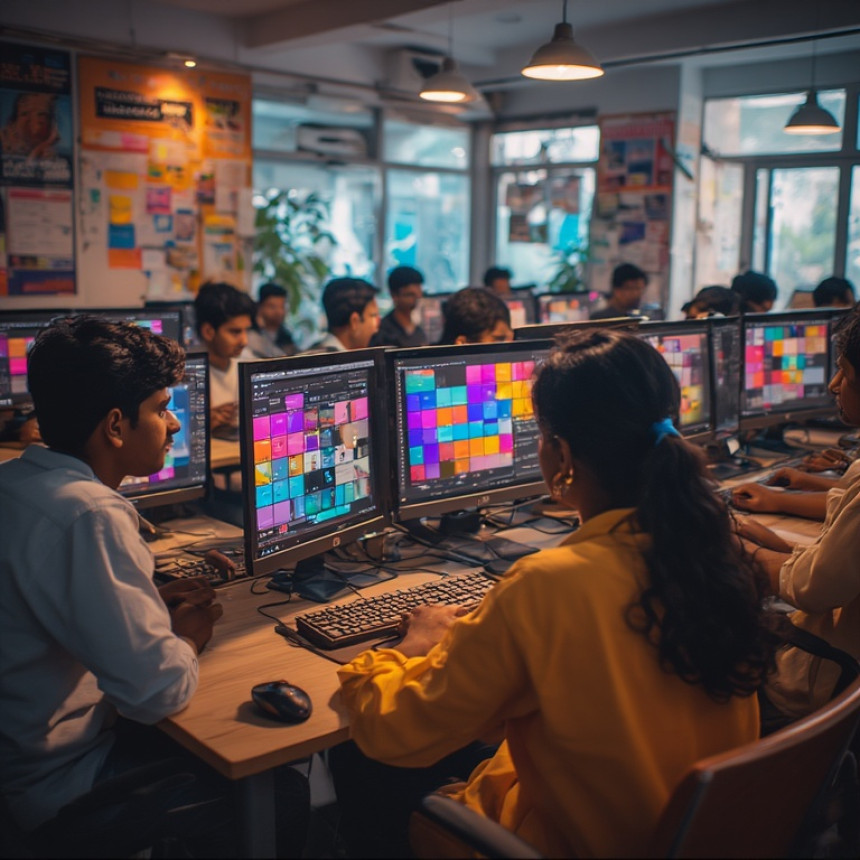

🎨 Quick Tutorial: Create Color Palettes Using Figma Plugins
Quick Tutorial: Create Color Palettes Using Figma Plugins. Get practical lessons and hands-on examples at AIComputerClasses in Indore to master graphic design & multimedia skills quickly. This article from AIComputerClasses Indore breaks down quick tutorial: create color palettes using figma plugins into actionable steps. Includes references to tools like ChatGPT, Power BI, Excel, Figma, or Python where appropriate. Follow practical exercises and tool-based examples to learn rapidly.
🎨 Quick Tutorial: Create Color Palettes Using Figma PluginsDesigning with the right colors can completely transform a project — whether it’s a logo, website, or mobile app. In 2025, design tools like Figma have revolutionized how creators approach color management. Instead of manually guessing shades, you can now generate consistent, beautiful color palettes using powerful plugins.
At AI Computer Classes – Indore, our Graphic Design & Multimedia learners explore practical ways to master Figma tools, create dynamic visuals, and develop real-world design skills. Let’s dive into how you can create and manage color palettes in Figma like a professional!
Color sets the emotional tone of your project. A well-crafted palette:
- Builds brand identity and recognition
- Creates visual harmony
- Enhances readability and user engagement
- Helps convey emotions like trust, excitement, or creativity
Choosing colors randomly can lead to inconsistency, but with Figma plugins, you can generate, test, and refine your palette efficiently.
Before you begin:
- Open your Figma account and select any design file.
- Click on Plugins → Browse Plugins in Community.
- Search for color-related plugins such as:
- 🎨 Color Palettes
- 🌈 CoolHue 2.0
- 🧠 AI Color Wheel
- 🪄 Picular (for inspiration-based color extraction)
Once installed, plugins are accessible directly within your Figma workspace — making your workflow faster and smarter.
Here are some must-try plugins to create perfect color schemes:
1. Color Palettes- Generates random or theme-based palettes
- Lets you lock and shuffle specific colors
- Easily copy HEX, RGB, or HSL codes
- Uses AI to extract colors from real images
- Great for inspiration based on topics (like “sunset,” “forest,” “coffee”)
- Suggests harmonious palettes based on color theory
- Lets you experiment with complementary, triadic, or analogous schemes
- Offers gradient-based palettes
- Perfect for modern UI and web designs
💡 Pro Tip: Combine 2–3 plugins to explore unique combinations and achieve consistency across multiple projects.
Follow these steps to create and use color palettes efficiently:
- Open your design file in Figma.
- Launch a plugin like Color Palettes from the plugin menu.
- Select the mood or keyword (for example, “tech,” “nature,” or “vintage”).
- Generate a set of 5–6 complementary colors.
- Apply them to shapes, text, or background elements.
- Save the palette in your Figma Styles panel for reuse.
This workflow helps maintain consistency in all your designs, especially for brand kits or UI components.
Imagine designing a modern AI learning platform. You want the design to look futuristic yet approachable.
Here’s how you could use Figma plugins:
- Use Picular to extract shades of blue and green from tech-related images.
- Run AI Color Wheel to generate complementary accent colors.
- Use CoolHue to apply smooth gradients to banners or CTAs.
The result? A professional, visually balanced layout that resonates with your audience.
Figma’s cloud-based platform allows:
- Real-time collaboration between designers and clients
- Easy plugin integration for color, typography, and layout
- Access to community templates and shared libraries
These features make it an essential tool for modern designers — whether you’re working on a personal project or collaborating within a design team.
💡 Learn from Experts at AI Computer Classes – Indore!
Boost your career with hands-on courses in Graphic Design, Multimedia, and Figma Tools.
👉 Join our latest batch now at AI Computer Classes
📍 Located in Old Palasia, Indore
🪄 Tips for Effective Color Usage- Stick to 3–5 core colors per project.
- Maintain contrast for accessibility.
- Test your palette on both light and dark backgrounds.
- Use color psychology — blue for trust, green for growth, red for action.
- Save your palette as a shared library for your team.
Consistency and simplicity make your design stand out!
In 2025, design and AI go hand-in-hand. Tools like ChatGPT or Midjourney can assist in:
- Suggesting theme-based color palettes
- Generating design inspiration based on prompts
- Automating palette testing for web accessibility
These AI-driven integrations make your creative workflow faster and more intelligent.
💡 Master Figma and Creative Design Tools at AI Computer Classes – Indore!
From color theory to plugin mastery, learn step-by-step with expert mentors.
Gain real-world project experience and build your professional portfolio.
👉 Enroll now at AI Computer Classes
🌟 ConclusionCreating color palettes with Figma plugins is one of the most efficient ways to improve your design process. By combining creativity with smart tools, you can produce visually stunning, brand-consistent, and professional designs faster than ever before.
At AI Computer Classes – Indore, learners don’t just study theory — they practice, create, and innovate using tools like Figma, Photoshop, and Illustrator. Whether you’re a beginner or an experienced designer, mastering these techniques will help you stand out in the design industry.
📞 Contact AI Computer Classes – Indore
✉ Email: hello@aicomputerclasses.com
📱 Phone: +91 91113 33255
📍 Address: 208, Captain CS Naidu Building, near Greater Kailash Road, opposite School of Excellence For Eye, Opposite Grotto Arcade, Old Palasia, Indore, Madhya Pradesh 452018
🌐 Website: www.aicomputerclasses.com





Essentials: Use SEO Tools for Competitive Analysis using TradingView