
🗣️ How-To: Use Feedback Loops to Improve Speaking with Python
How-To: Use Feedback Loops to Improve Speaking with Python. Get practical lessons and hands-on examples at AIComputerClasses in Indore to master spoken English & personality development skills quickly. Ideal for beginners and working professionals seeking fast skill gains. Follow practical exercises and tool-based examples to learn rapidly. This article from AIComputerClasses Indore breaks down how-to: use feedback loops to improve speaking with python into actionable steps.
🗣️ How-To: Use Feedback Loops to Improve Speaking with PythonIn 2025, communication skills are just as important as technical expertise. Whether you’re a developer, marketer, or student, your ability to speak clearly and confidently can define your success. But what if technology — specifically Python — could help you improve your speaking through feedback loops?
At AI Computer Classes – Indore, students learn not just to code but also to use code to improve personal development. In this guide, we’ll explore how feedback loops and Python scripts can help you track, analyze, and enhance your spoken English performance.
A feedback loop is a cycle of learning through action → evaluation → improvement. In communication, it means:
- 🗣️ Speak – deliver your message
- 🎧 Record – capture your voice for review
- 💬 Analyze – check pronunciation, pace, and clarity
- 🧠 Improve – practice again using data-backed feedback
When repeated, this process helps you refine your tone, pronunciation, and fluency — exactly like how machine learning models improve through data.
💡 Learn from Experts at AI Computer Classes – Indore!
Boost your communication and tech skills together with our blended learning modules.
👉 Join our latest batch now at AI Computer Classes
📍 Located in Old Palasia, Indore
🧠 Step 1: Record Your VoiceStart by recording short English sessions (1–2 minutes). You can use:
- Your mobile recorder
- Online tools like Vocaroo or Audacity
- Or create a simple Python-based voice recorder
Here’s an example Python script using sounddevice:
import sounddevice as sd
from scipy.io.wavfile import write

fs = 44100  # Sample rate
seconds = 10  # Duration

print("Recording...")
recorded = sd.rec(int(seconds * fs), samplerate=fs, channels=2)
sd.wait()
write("output.wav", fs, recorded)
print("Recording complete!")
Once recorded, you can use this file to analyze your voice.
Next, we’ll use Python libraries like SpeechRecognition and TextBlob to analyze your speech.
Example:
import speech_recognition as sr
from textblob import TextBlob

r = sr.Recognizer()

with sr.AudioFile('output.wav') as source:
    audio_data = r.record(source)
    text = r.recognize_google(audio_data)

print("You said:", text)

# Analyze grammar and tone
blob = TextBlob(text)
print("Polarity (sentiment):", blob.sentiment.polarity)
print("Subjectivity:", blob.sentiment.subjectivity)
This gives you instant feedback on your tone and sentiment, helping you understand whether you sound confident, neutral, or hesitant.
Once you’ve gathered data, use it to create a loop of continuous improvement.
StepActionTool1️⃣Record your voicePython + Microphone2️⃣Transcribe speechSpeechRecognition3️⃣Analyze tone and errorsTextBlob + LanguageTool4️⃣Get AI feedbackChatGPT or OpenAI API5️⃣Practice againRepeat with improvement
This process turns your speaking practice into a data-driven journey instead of guesswork.
Want more personalized insights? You can connect your speech data with the OpenAI API to get smart language feedback.
Example pseudo-code:
import openai

openai.api_key = "your_api_key_here"

response = openai.ChatCompletion.create(
  model="gpt-4-turbo",
  messages=[
    {"role": "system", "content": "You are an English speaking coach."},
    {"role": "user", "content": "Analyze this text and suggest pronunciation improvements."},
    {"role": "assistant", "content": "Sure! Please share your speech transcript."}
  ]
)

print(response['choices'][0]['message']['content'])
💬 The model can give feedback like:
- “You tend to pause mid-sentence — try slowing down.”
- “Your pronunciation of ‘schedule’ sounds American; would you like to practice British style?”
Once you’ve collected multiple practice sessions, import the data into Excel or Power BI to visualize improvement trends.
You can track metrics like:
- 🕒 Speaking duration
- 🔠 Word count
- 💬 Confidence score (from sentiment)
- 🎯 Pronunciation accuracy
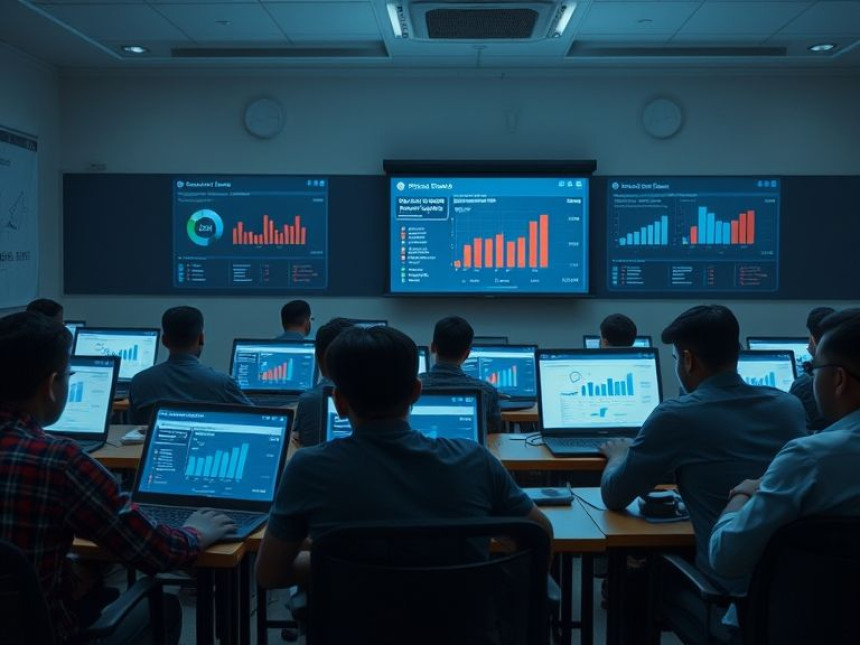
Example: A Power BI dashboard can show how your fluency improved over 10 practice sessions — a great motivational boost!
AI-based practice is helpful, but real interaction is equally vital. Use these strategies alongside your feedback loop:
- Join English-speaking groups or online forums
- Record and analyze real conversations
- Practice impromptu topics daily
- Ask friends for human feedback in addition to AI insights
When you combine Python automation with social practice, your learning becomes faster and more balanced.
AI tools are redefining how we learn languages. In the future, you might have:
- Real-time pronunciation correction while speaking
- Emotion tracking in your voice tone
- Personalized AI tutors trained on your speech patterns
Students at AI Computer Classes – Indore already explore how these technologies work under the hood — learning Python, NLP (Natural Language Processing), and Communication AI together.
Feedback loops make speaking improvement measurable and motivating. By integrating Python automation with regular speaking practice, you can monitor your progress, identify weak areas, and refine your tone like a pro.
Whether you’re preparing for interviews, presentations, or public speaking, this blend of technology and soft skills gives you a powerful edge.
💡 Learn from Experts at AI Computer Classes – Indore!
Master both communication and coding — a rare combination that sets you apart in 2025.
👉 Join AI Computer Classes to start your transformation today.
📞 Contact AI Computer Classes – Indore
✉ Email: hello@aicomputerclasses.com
📱 Phone: +91 91113 33255
📍 Address: 208, Captain CS Naidu Building, near Greater Kailash Road, opposite School of Excellence For Eye, Opposite Grotto Arcade, Old Palasia, Indore, Madhya Pradesh 452018
🌐 Website: www.aicomputerclasses.com

Improve Vocabulary with Practical Exercises — Step-by-Step using Tradi...